.png?width=250&height=150&name=Untitled%20(46).png "InfoReady logo")
Find Your Institution's
InfoReady Site
Institutions run their own sites. Yours is where you need to go to
log in, apply and review.
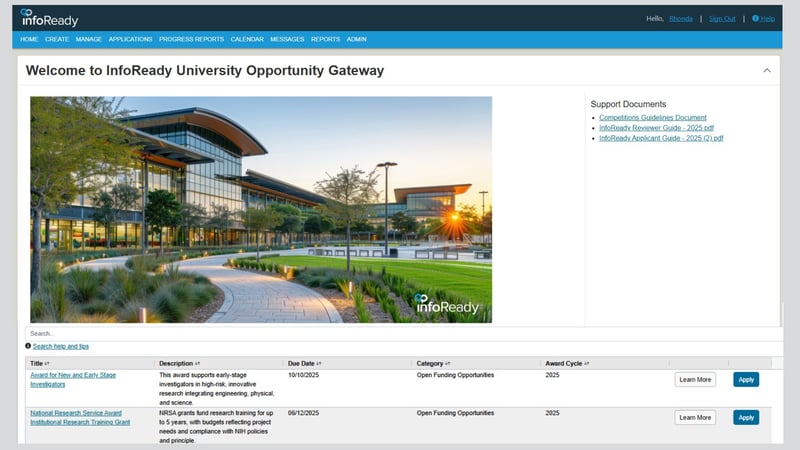
Have an invitation email? Its link is the fastest route as it opens the opportunity or review directly.
Look up your institution using chat box on this page.
Have other questions about using InfoReady? InfoEddy can help with that too.
.png "Chat Direction Graphic-1 (1)")
1. Each institution has its own site
Your applications, competitions, and reviews live on your institution's dedicated InfoReady site — which is why there's no login on this page.
2. Signing in
Most institutions use campus single sign-on, so you'll use your usual university credentials. Some use an InfoReady username and password instead.
3. Invited to apply or review?
Check the invitation email first. Its link opens the exact place you need to go. Lost it? Use the lookup above, then find the program.
Can’t find your institution?
If your institution doesn’t come up, it may use a different official name or it may not use InfoReady yet. If you're having trouble locating the page you need, submit a Help ticket and our support team will help you get to the right place.
Password or account problems?
If you sign in with an InfoReady username and password, you can reset it yourself. Use the “Forgot password” link on your institution’s InfoReady sign-in page and follow the prompts. If your institution uses single sign-on (SSO), sign in with your usual campus credentials; for problems with those, contact your campus IT help desk.
Exploring InfoReady for your institution?
If you’re not looking for an existing login but want to see how InfoReady could work at your institution, we’d love to show you. See the platform or request a demo.